Edit Image with AI
Transform and enhance your images using AI-powered editing tools directly within BlogSEO.
When BlogSEO generates articles fopr your website, it adds high quality, AI-generated images to the articles. Each article comes with one main image, and up to 2 inline images. BlogSEO's editor allows you to customize the generated images using state of the art AI models directly from BlogSEO.
Use Case Examples
Replace the image with a new one
If you're not satisified with the content of the image which was generated by the AI, you have the option to completely replace it with a different content.
Prompt
Replace the first image with a completely different composition showcasing a white german car
in a sunny road bordered by lavender fields in the south of France.
Result
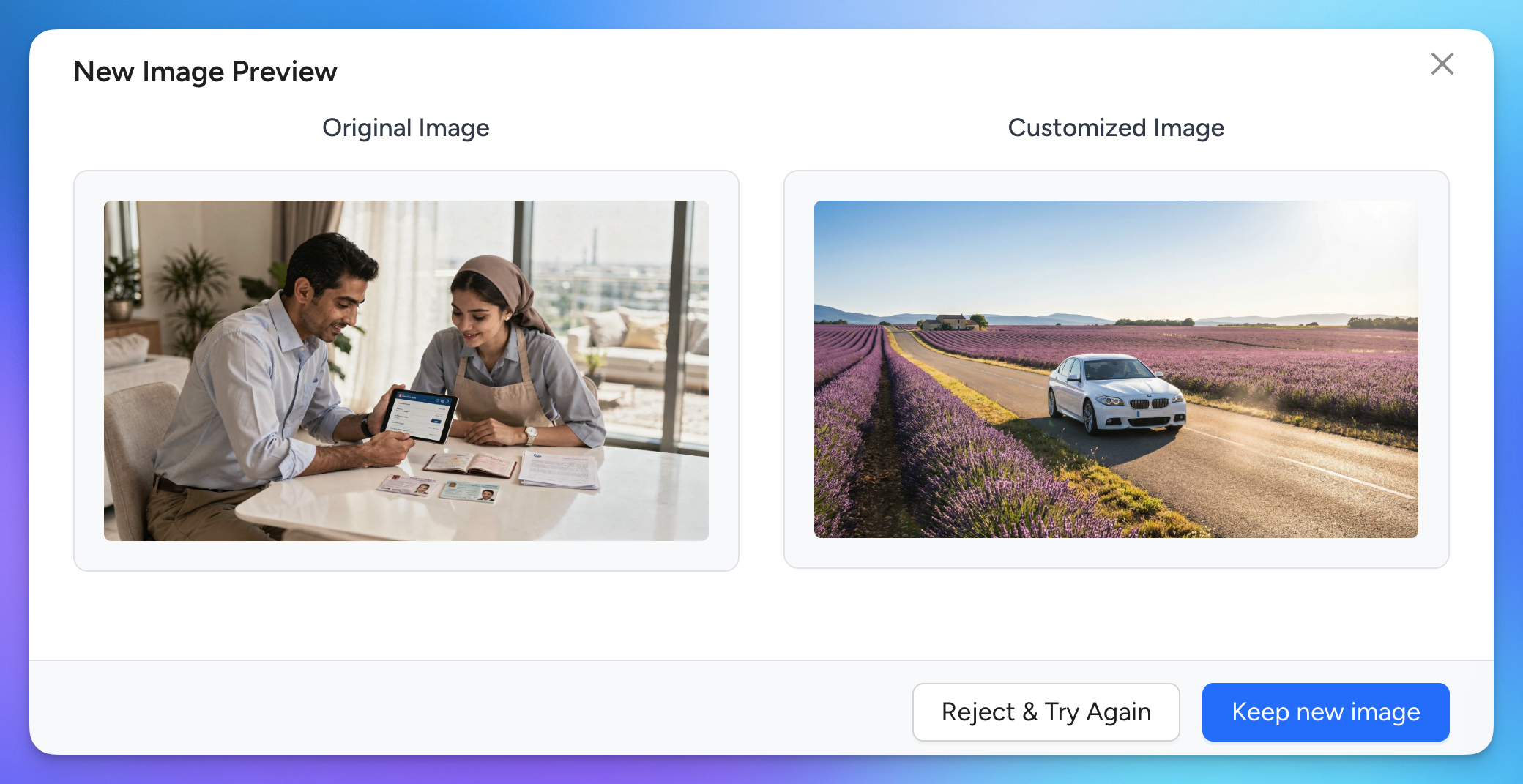
If you already have an image you'd like to use, you can replace images manually by clicking on Edit Manually and removing the inline image, then adding a new one using the editor toolbar, or by clicking Replace for the main image.
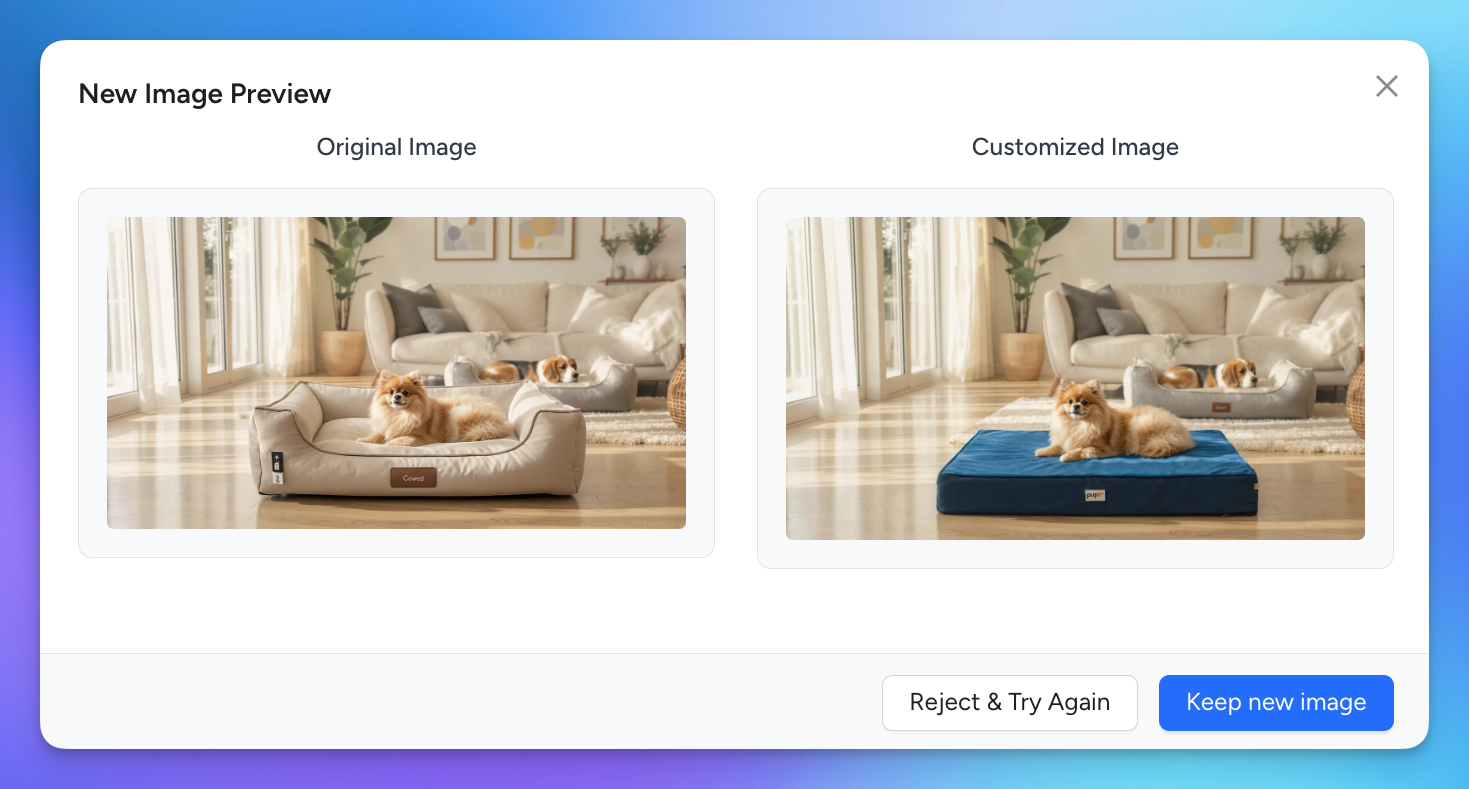
Modifying the image with your product
This is useful for e-commerce shops that want to showcase their products inside the blog images. Make sure to refer to each image by their order and what they contain.
Prompt
This example included a product image of the dog bed to add to the picture.
Without changing anything else, replace the dog bed in the first image with
the blue dog bed from the second product image.
Result
Best Practices
- Be specific and explicit in your prompts when giving editing instructions. Refer to specific elements inside images to ensure the AI understands your request.
- When working with multiple images, refer to each image by its order (e.g., "first image", "second image") and describe specific elements within them (e.g., "the red car in the first image", "the background in the second image"). For example: "Take the red car from the first image and place it in the street scene of the second image".
- Review changes before approving since once you approve the AI's edits, you won't be able to restore the previous version.
Usage Limits
AI image editing features are only available for users with an active subscription. Check Settings → Billing for more information on your subscription.
Each image update with AI consumes 1 AI Brain Credit. AI Brain credits are refilled every month as part of your subscription plan. If you run out of credits, you can buy more from the billing settings in your dashboard. Base subscriptions with 30 articles / month get 15 AI Brain Credits every month.
Frequently Asked Questions
Are the generated images optimized for SEO?
Yes. All images are compressed using the WebP format, which provides fast loading times while preserving detail and quality.
How are my generated images stored?
All article images are stored in a publicly accessible storage bucket, meaning anyone with the image URL can access it. This ensures compatibility with websites that don't host images directly in their CMS.
For additional support, contact our team through the in-app support chat.